
Activate the Theme
After the theme files are installed, assign the theme to your store view from Magento Admin.
Apply the theme in Magento Admin
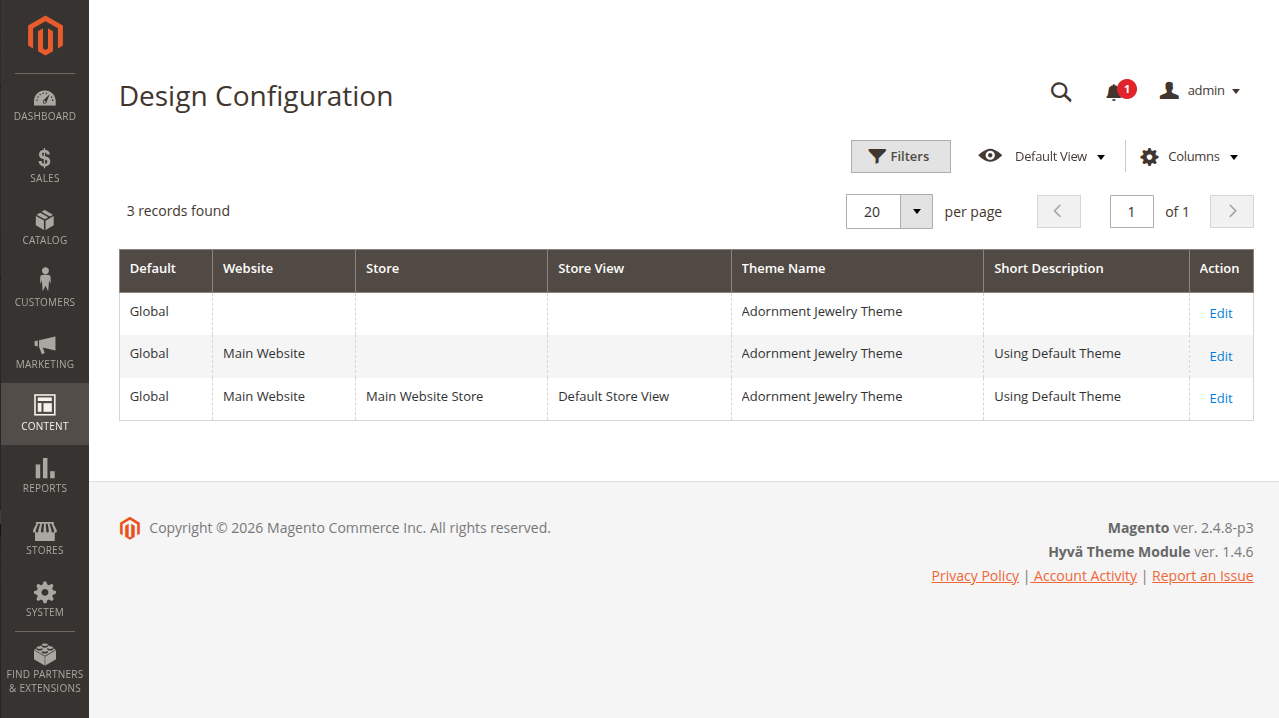
- Go to Content -> Design -> Configuration.
- Find the store view you want to theme and click Edit.
- In the Default Theme section, set Applied Theme to Adornment Jewelry Theme.
- Save the configuration.
Verify on the storefront
Open the storefront and check the homepage, header, footer, category page, product page, cart, and checkout.
Assign the Homepage Configurator to the homepage
The theme includes a ready homepage builder. After activation, open Content -> Homepage Configurator -> Sections and check the homepage sections.
If the old homepage still shows, clear Magento cache and refresh the storefront.
Common first steps after activation
| Goal | Action |
|---|---|
| Change the homepage content | Homepage Configurator -> Sections |
| Change the navigation or mega menu | Header & Footer Builder |
| Edit header or footer text | Header & Footer Settings |
| Need design changes beyond Admin settings | Contact your Magento support team |