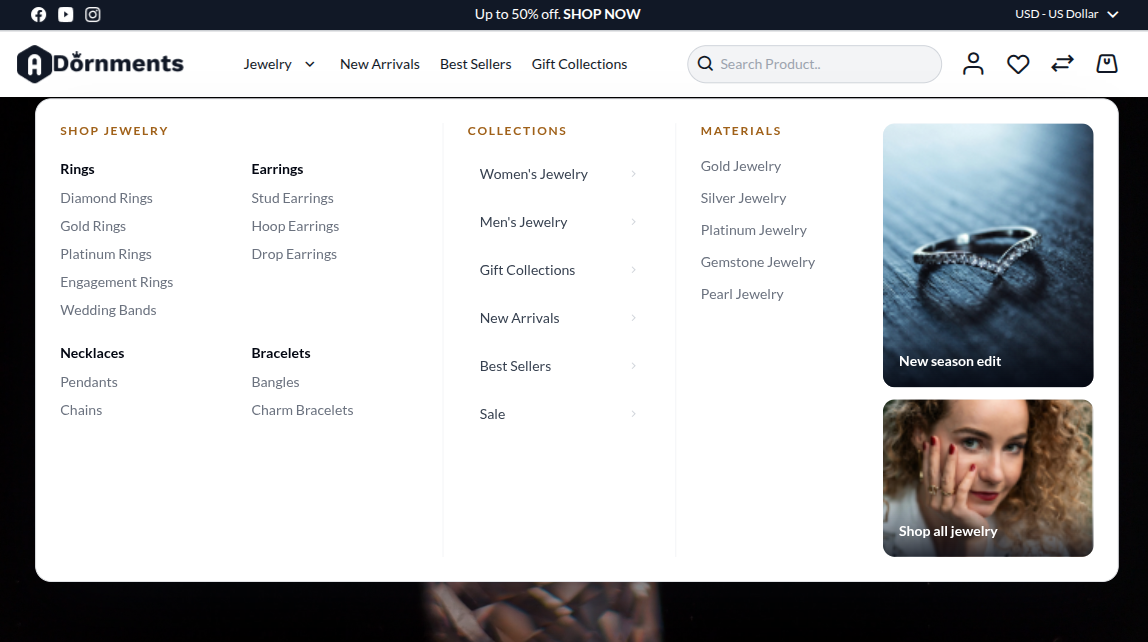
Submenu Templates
Each top-level menu item can use a different submenu style. This lets you mix simple dropdowns with rich mega menus across the navigation.
Available styles
| Style | Description | Best for |
|---|---|---|
| Two Image Mega Menu | Link columns with two promo images on the right | Default jewellery mega menu |
| Columns With Promo | Link columns with one promo area | Broad categories, such as Jewellery or Collections |
| Editorial | Image-led menu layout | Brand or lookbook style menus |
| Product Showcase | Product-card style menu | Featured products or "Shop by" menus |
| Compact | Minimal link dropdown | Short lists, such as Sale or About |
| No Submenu | Single menu link only | Flat links |
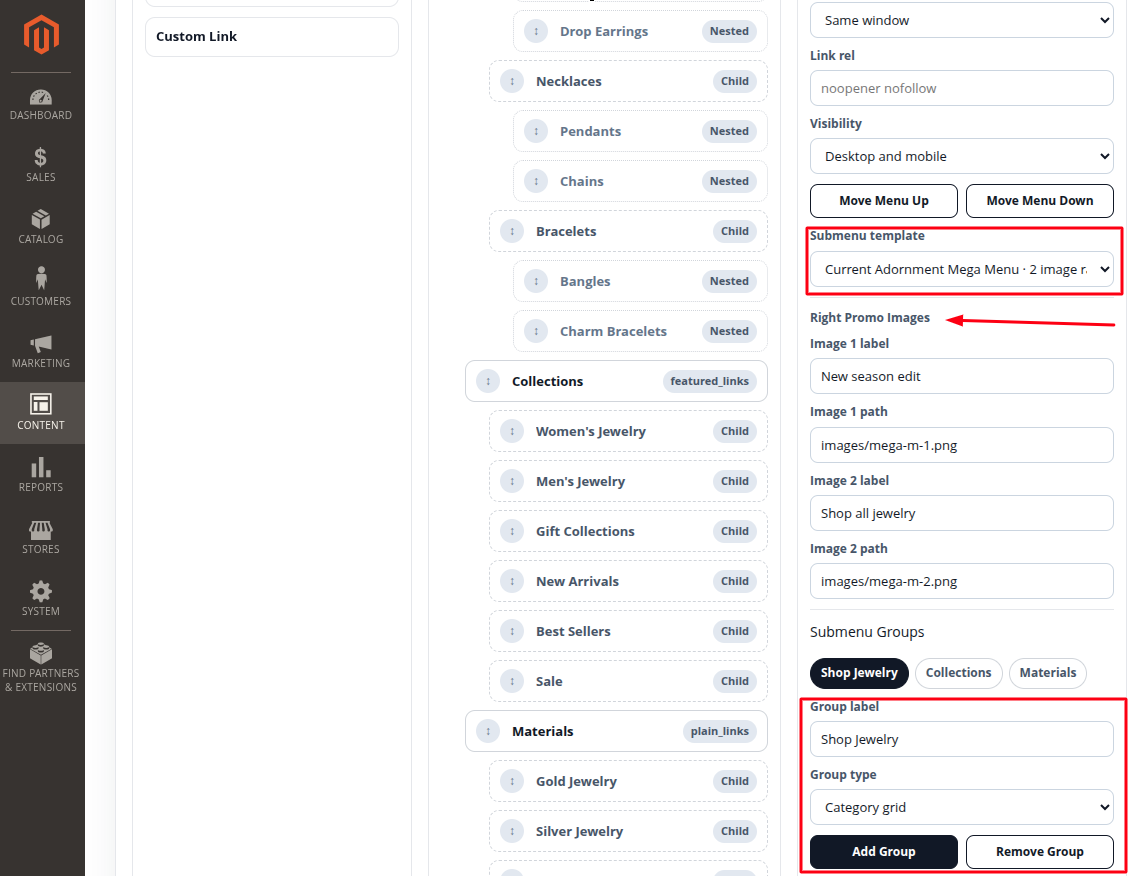
Right promo images
For menu styles that support promo images, configure up to two promo images per top-level item:
- Image 1 label / Image 1
- Image 2 label / Image 2
These show as clickable promotional tiles inside the mega menu. Use them for a collection, sale, or seasonal campaign.
Choosing a style per item
- Select the top-level item in the menu tree.
- In the right panel, set Submenu template.
- Save Configuration.
Different items can use different styles, so "Rings" can use a product showcase while "Sale" uses a compact dropdown.