
Category Grid
The Category Grid section helps shoppers open the right category quickly. Use it for items like Rings, Earrings, Necklaces, Bracelets, Watches, or Gifts.
You can show categories as a grid or as a slider.
Add a Category Grid
- Go to Content -> Homepage Configurator -> Sections.
- Click Add New Section.
- Enter a Title, for example
Shop by Category. - Set Section Type to Category Grid.
- Set Enabled to Yes.
- Use a Sort Order such as
20, so it shows below the hero banner. - Fill the Category Grid Configuration fields.
- Click Save.
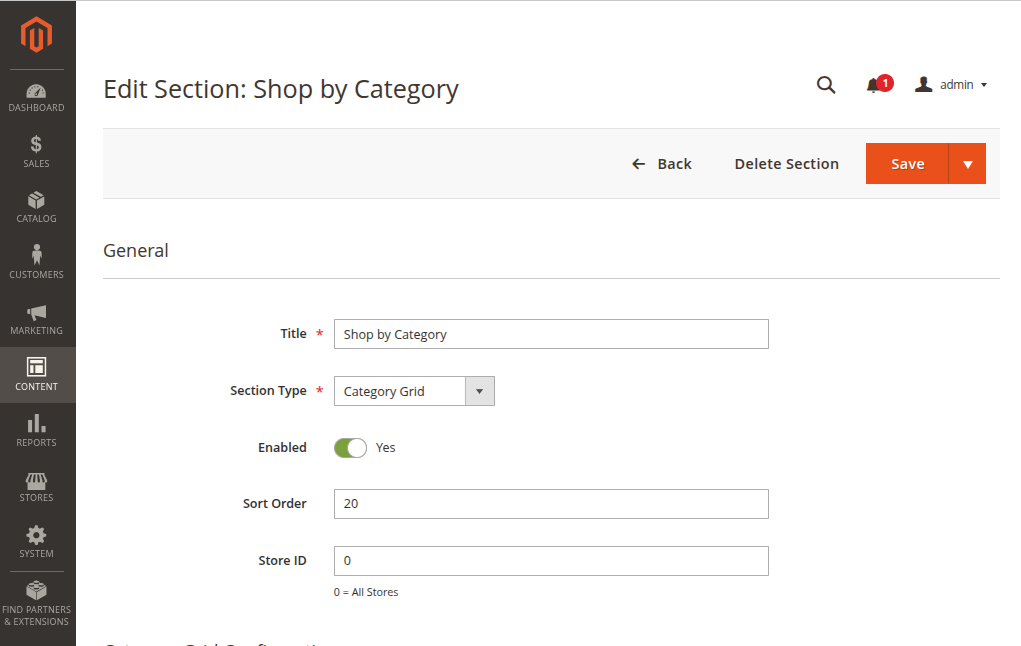
Main settings
| Setting | What it does |
|---|---|
| Display Mode | Choose Grid View for fixed tiles, or Slider View for a moving row. |
| Category Source | Choose Select from Catalog to use Magento categories, or Manual to add your own tiles. |
| Select Categories | Choose categories from your catalog when using catalog source. |
| Number of Items to Show | Limit how many tiles show. Use 0 to show all selected items. |
| Subtitle | Small text under the section title. |
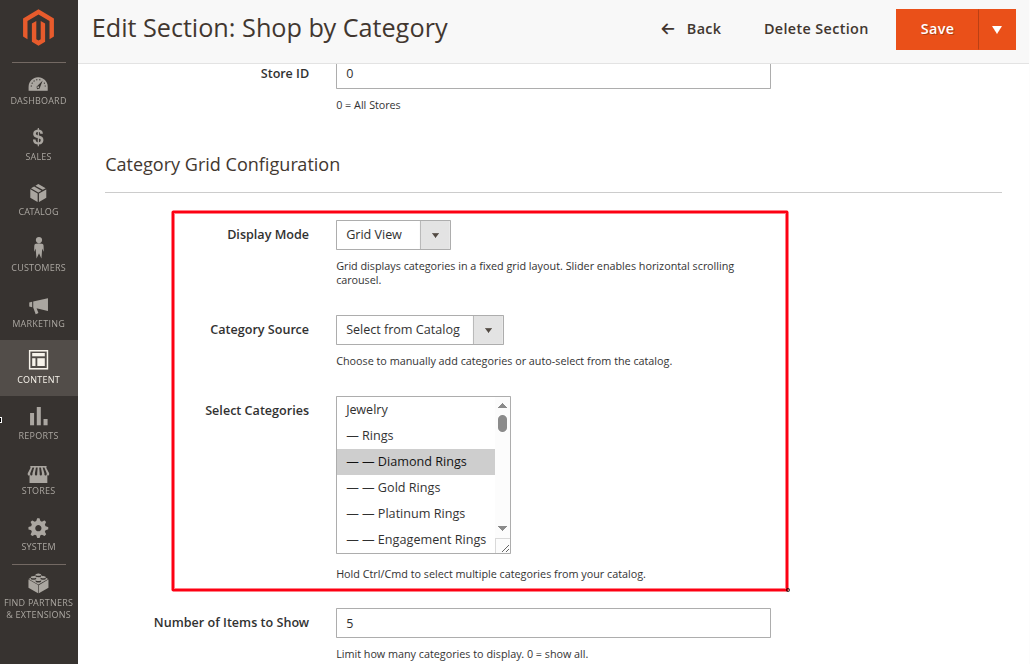
Layout settings
| Setting | What it does |
|---|---|
| Columns Desktop | Number of category tiles per row on desktop. |
| Columns Mobile | Number of category tiles per row on mobile. |
| Image Shape | Choose Square, Rounded, or Circle. |
| Show Product Count | Shows how many products are in the category. |
| Show Image Overlay | Adds a soft overlay on the image so text is easier to read. |
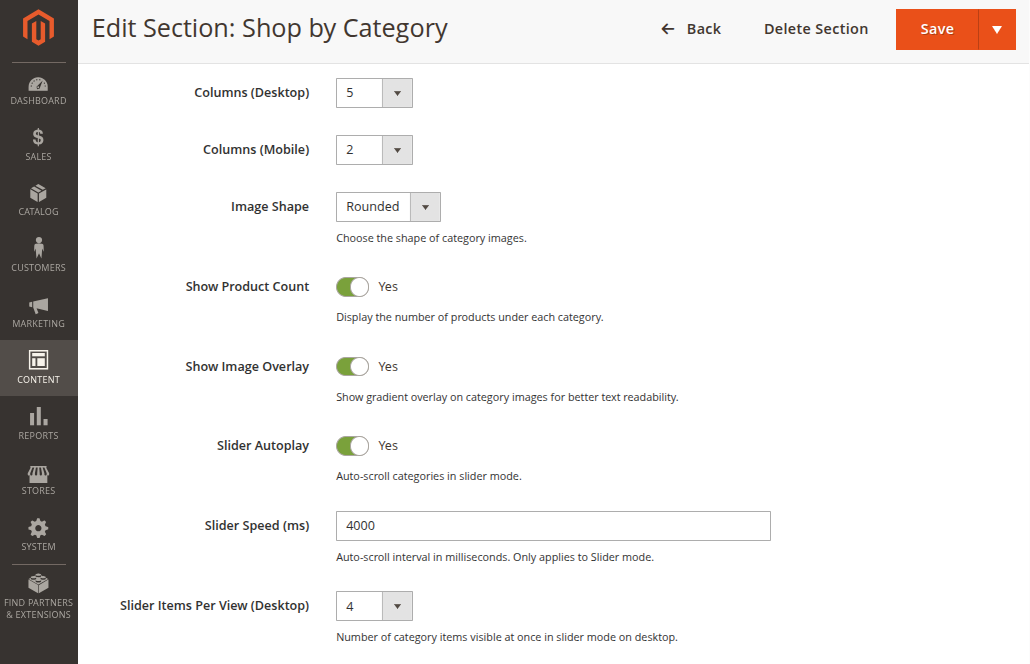
Manual category tiles
Use Manual when you want full control over image, label, and link.
Click Add Category, then fill:
| Field | What to enter |
|---|---|
| Category Image | Upload a clear image. Maximum file size is 2 MB. |
| Label | Category name, such as Rings. |
| URL | Category page link, such as /rings.html. |
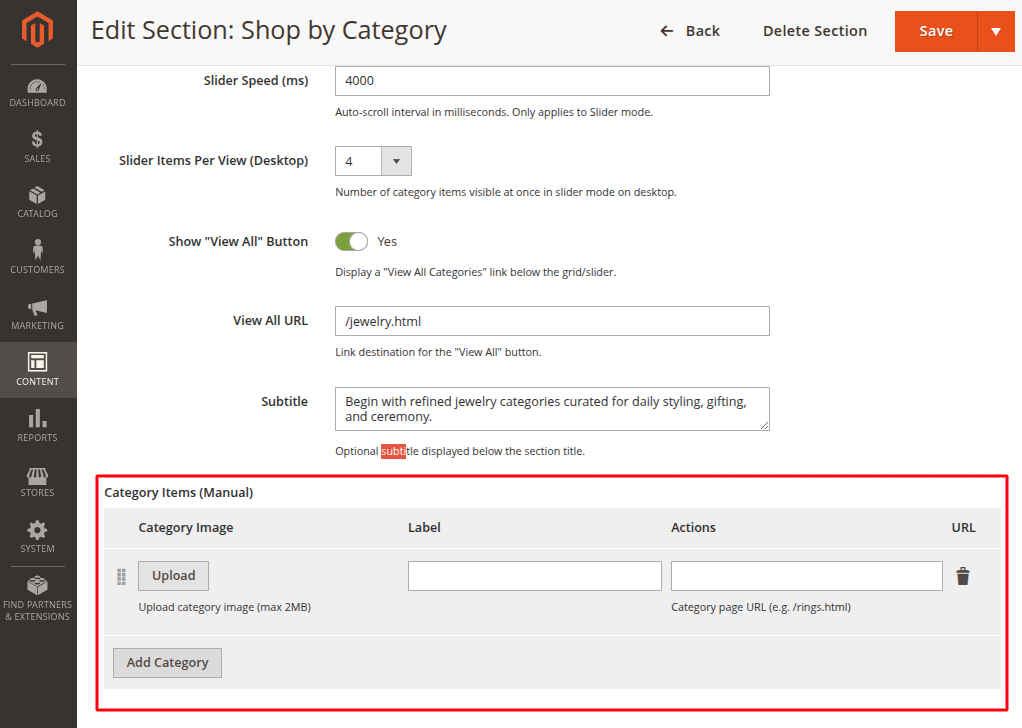
View All button
Turn on Show "View All" Button if you want one button below the category section.
Use View All URL for the link. Example: /jewellery.html.
Storefront result

Good practice
- Use 4 to 6 categories on the homepage.
- Keep labels short.
- Use the same image style for all category tiles.
- Check mobile view after saving.