
Trust Badges
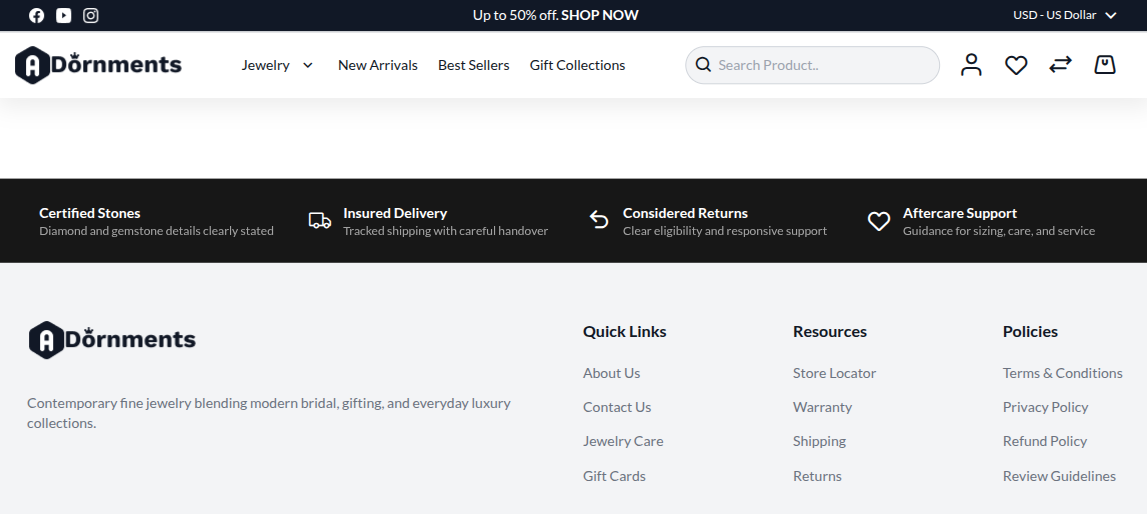
The Trust Badges section shows short trust messages near the bottom of the homepage. Use it for delivery, returns, payment, support, and quality messages.
Add Trust Badges
- Go to Content -> Homepage Configurator -> Sections.
- Click Add New Section.
- Enter a Title, for example
Store Features. - Set Section Type to Trust Badges.
- Set Enabled to Yes.
- Use a Sort Order so it appears near the bottom of the homepage.
- Fill the Trust Badges Configuration fields.
- Click Save.
Main settings
| Setting | What it does |
|---|---|
| Background Color | Background color for the badge strip, such as #1a1a1a. |
| Text Color | Text color, such as #ffffff. |
| Trust Badge Items | Add the badges shoppers will see. |
Badge fields
Click Add Badge, then fill these fields.
| Field | What to enter |
|---|---|
| Icon Class | Icon name, such as icon-truck or icon-secure. |
| Title | Badge title, such as Free Delivery. |
| Subtitle | Short support text, such as On orders over $99. |
Useful icon names include icon-truck, icon-return, icon-secure, icon-heart, icon-star, icon-location, icon-bag, and icon-download.
Badge examples
| Title | Subtitle |
|---|---|
| Free Delivery | On selected orders |
| Secure Payment | Safe checkout |
| Easy Returns | Simple return process |
| Certified Jewellery | Quality checked pieces |
| Customer Support | Help when you need it |
Storefront result
Good practice
- Keep each badge short.
- Use four or five badges only.
- Use icons that match the text.
- Place trust badges near the bottom of the homepage.