
Section Types
The Homepage Configurator has 10 section types. Choose the section type first. After that, Magento Admin shows the fields for that section.
General fields
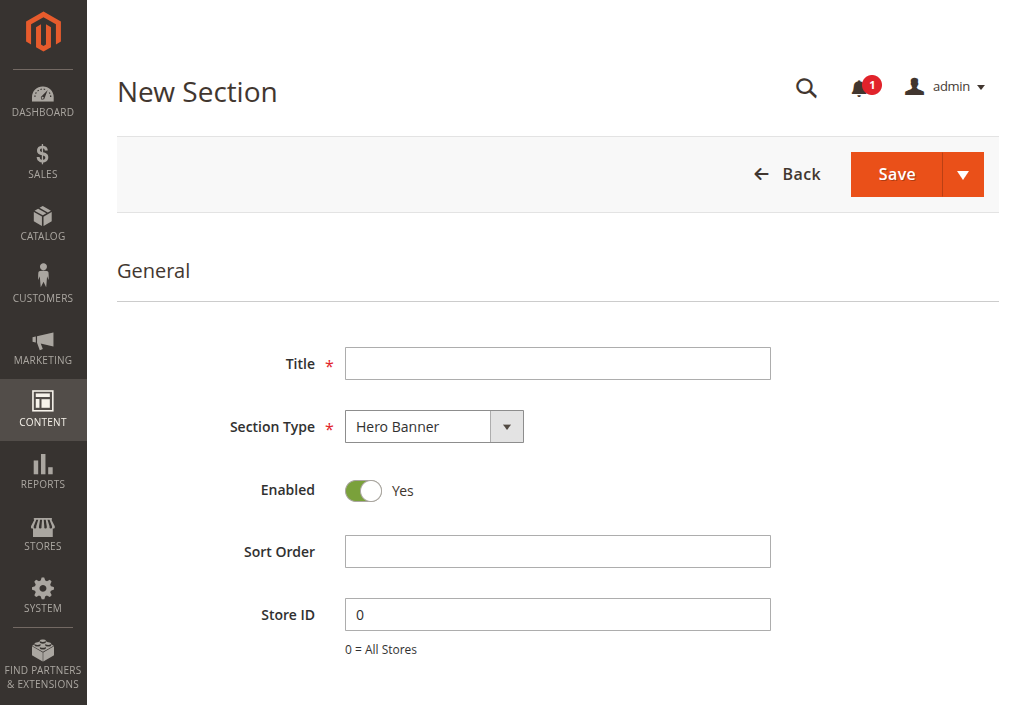
Every section has these fields at the top:
| Field | What to enter |
|---|---|
| Title | A clear Admin name, like Shop by Category. |
| Section Type | The type of homepage block you want to create. |
| Enabled | Choose Yes to show it on the storefront. Choose No to hide it. |
| Sort Order | A number for the order on the homepage. Lower numbers show first. |
| Store ID | Use 0 for all stores. Use a store view ID only if needed. |
All section types
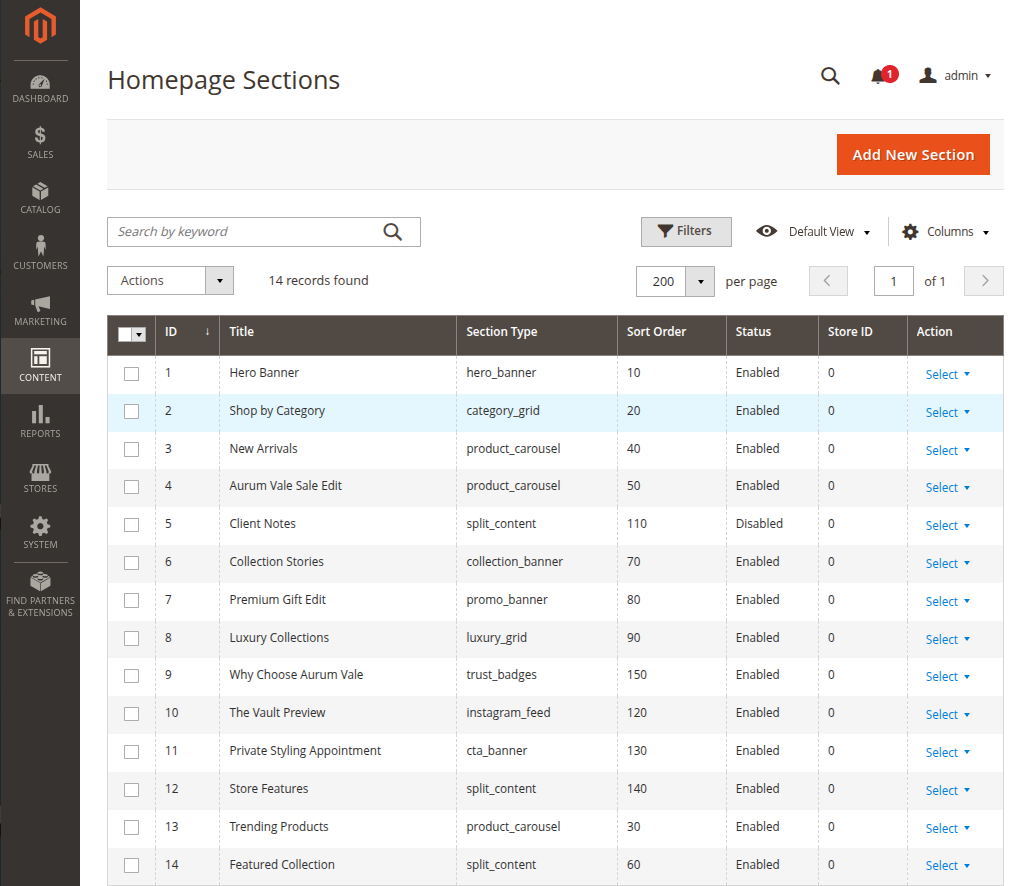
| Section Type | Best use |
|---|---|
| Hero Banner | A large top banner for the main sale, collection, or brand message. |
| Category Grid | A "Shop by Category" area with rings, earrings, necklaces, bracelets, and more. |
| Collection Banners | Two or more image banners for seasonal collections or offers. |
| Product Carousel | A row of products, such as Trending Products, New Arrivals, Bestsellers, or Sale items. |
| Split Content | An image with text beside it. Good for brand story or one featured collection. |
| Promo Banner | A strong sale or gift banner with images and a button. |
| Luxury Grid | Premium cards for special collections, services, or jewellery qualities. |
| CTA Banner | A button section, such as Book Appointment or Contact Us. |
| Instagram Feed | A photo gallery from your brand or customers. |
| Trust Badges | Short trust messages, such as Free Shipping, Secure Payment, Easy Returns, and Support. |
Which section should I choose?
- Choose Hero Banner for the first section of the homepage.
- Choose Category Grid when shoppers need quick links to product categories.
- Choose Product Carousel when you want to show products directly.
- Choose Collection Banners, Promo Banner, or CTA Banner for campaigns.
- Choose Trust Badges near the bottom of the page to build trust.
Before you save
Check these points before clicking Save:
- The section is Enabled.
- The Sort Order is correct.
- The image looks clear on desktop and mobile.
- Button text is short.
- Button links go to the right page.